agent-remote-让你的agent操作远程设备
漏洞推送 2026-10-20 16:31 浙江
agent-remote-让你的agent操作远程设备
agent-remote是一个适配本地 pi/codex/claude等agent,具备操作远程homelab或者vps能力的服务,不依赖于rdp、ssh等正向连接服务。即使目标机器没有公网ip并且在有防火墙的情况下,也能实现远程连接。
项目地址: https://github.com/lanyi1998/agent-remote
aremote 支持两种连接方式:
•正向连接:在目标机器上运行 server,Pi 直接连接目标机器。•反向连接:在 本机运行 server,目标机器以 worker 身份主动连接,适用于目标机器有防火墙,连接无法入站的情况。
Pi 扩展会接管 read、bash、edit、write、文件补全和交互式 ! Bash 命令。
对于codex/claudecode/opencode等agent,提供cli和mcp两者方式进行接入。
安装 Pi 扩展
将扩展复制到 Pi 的自动加载目录:
mkdir -p ~/.pi/agent/extensions/agent-remotecp pi-extension/index.ts ~/.pi/agent/extensions/agent-remote/index.ts
正向连接
Gateway 和 Worker 必须使用相同的 Token,Token 长度至少为 8 个字符。
通过 /remote connect 在 Pi 中输入 Token,首次连接成功后会自动保存。
在目标机器上启动 Gateway:
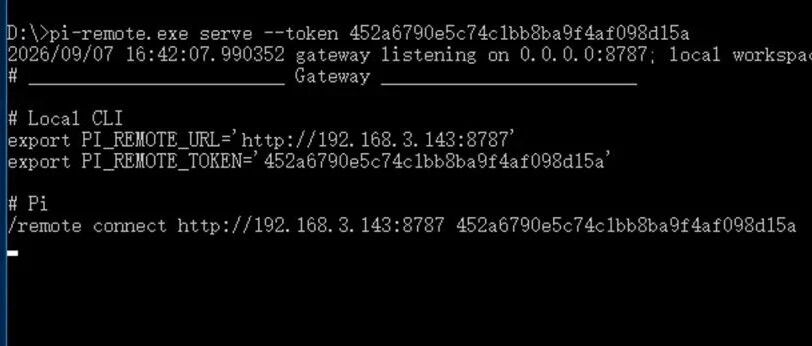
./aremote-linux-amd64 server --token 'replace-with-a-long-random-token'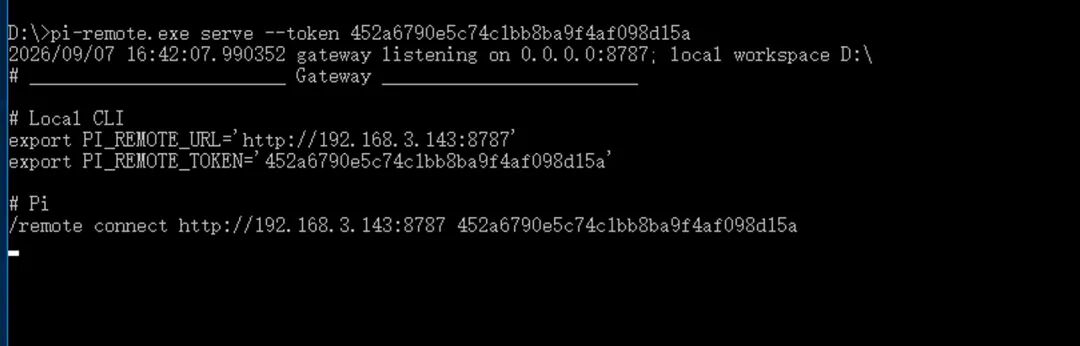
Pi 内连接:
/remote connect http://TARGET_IP:8787 replace-with-a-long-random-token 我的开发机/remote status
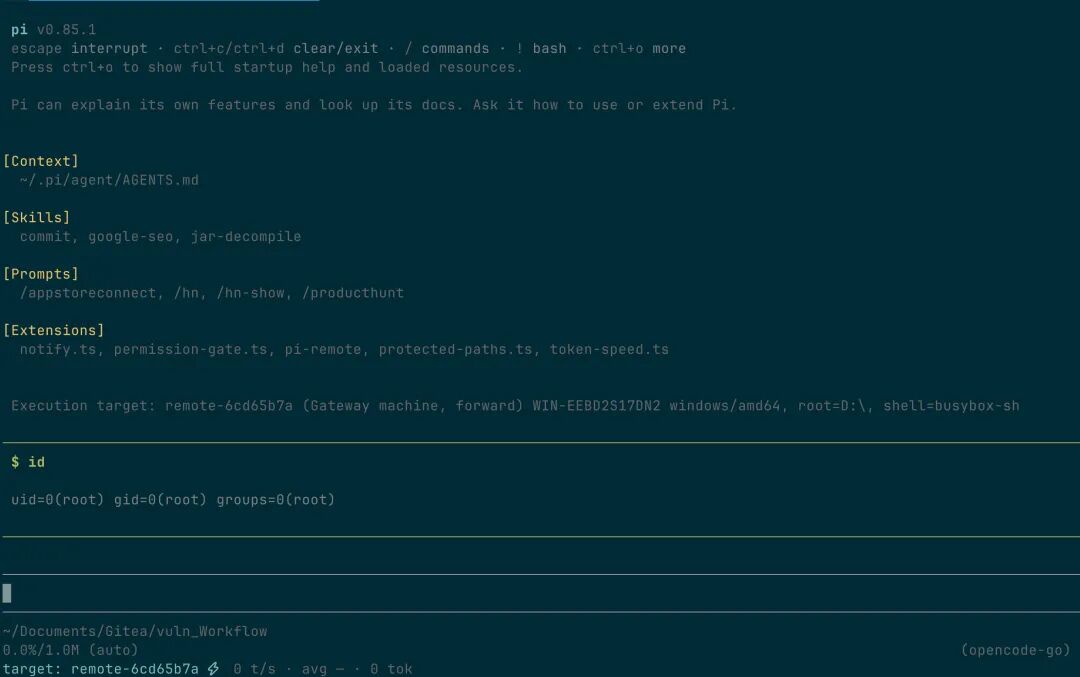
连接命令不指定 --worker 时,默认操作 Gateway 所在机器。末尾可选文本是显示备注。反向连接的 Worker 可这样选择:
/remote connect http://VPS:8787 replace-with-a-long-random-token --worker office-linux 我的办公机使用公网 VPS 中转
当 Pi 和目标机器都处于内网时,可以使用以下拓扑:
Pi --HTTP--> 公网 VPS Gateway <--WebSocket-- Worker即使使用 http:// 和 ws://,RPC 内容与 Worker 消息也会使用 AES-256-GCM 加密,并使用带时间戳和随机 nonce 的 HMAC 认证。被动抓包者无法读取 Token、命令、文件内容或执行结果。由于 VPS 持有共享 Token,VPS Gateway 本身仍然可以解密流量。
在 VPS 的云安全组和系统防火墙中放行 TCP 8787。
在公网 VPS 上启动 Gateway:
./aremote-linux-amd64 server \--token 'replace-with-a-long-random-token' \
在内网目标机器上启动 Worker:
./aremote-linux-amd64 worker \--token 'replace-with-a-long-random-token' \--server ws://VPS_PUBLIC_IP:8787 \--id office-linux
Worker 会主动建立 WebSocket 长连接,并在断线后自动重连。目标机器不需要公网 IP、端口映射或入站防火墙规则。
在 Pi 机器上:
/remote connect http://VPS_PUBLIC_IP:8787 replace-with-a-long-random-token --worker office-linux/remote status
请求路径为:
Pi -> HTTP -> VPS Gateway -> WebSocket -> office-linux Worker可以连接多台 Worker,但每台机器的 --id 必须唯一:
/remote office-linux/remote home-linux/remote win7-test
PI 扩展支持的命令
/remote # 显示 remote 子命令/remote status # 显示当前目标/remote list # 列出已保存连接及在线状态/remote remove # 删除一个已保存连接/remote refresh # 刷新 Worker 信息/remote off # 关闭远程连接/remote office-linux # 选择一个 Worker/remote connect http://HOST:8787 TOKEN --worker ID [备注]
Codex / Claude Code / OpenCode 接入
aremote 可供任意支持命令行或标准 stdio MCP 的 Agent 使用。
使用 CLI 或 MCP 前,先执行一次连接。连接会先校验目标,再将 Token 及连接信息以仅当前用户可读的权限保存到 ~/.agent-remote/config.json:
aremote connect http://HOST:8787 replace-with-a-long-random-tokenaremote connect http://HOST:8787 replace-with-a-long-random-token --worker office-linux 我的办公机器
aremote status 显示当前目标。aremote list 显示全部已保存目标及在线状态;在交互式终端中输入编号即可切换活动目标。使用 aremote refresh 重新查询当前目标,使用 aremote remove 交互式删除已保存目标;在脚本中使用 aremote remove TARGET_ID。使用 aremote rename NOTE... 可在不重新连接的情况下修改当前活动目标的备注。
每条已保存目标都有 aremote list 显示的 ID。使用非活动目标时无需改变默认目标,因此多个 Agent 可以并行操作不同机器:
aremote --target target-a1b2c3d4 bash "hostname"CLI
适用于 Agent 通过 Shell 调用 aremote 的场景。先将仓库中的/skills/aremote-cli/安装到 Agent 会扫描的 Skill 目录。
然后在 Agent 对话中显式调用 Skill,进行连接检查:
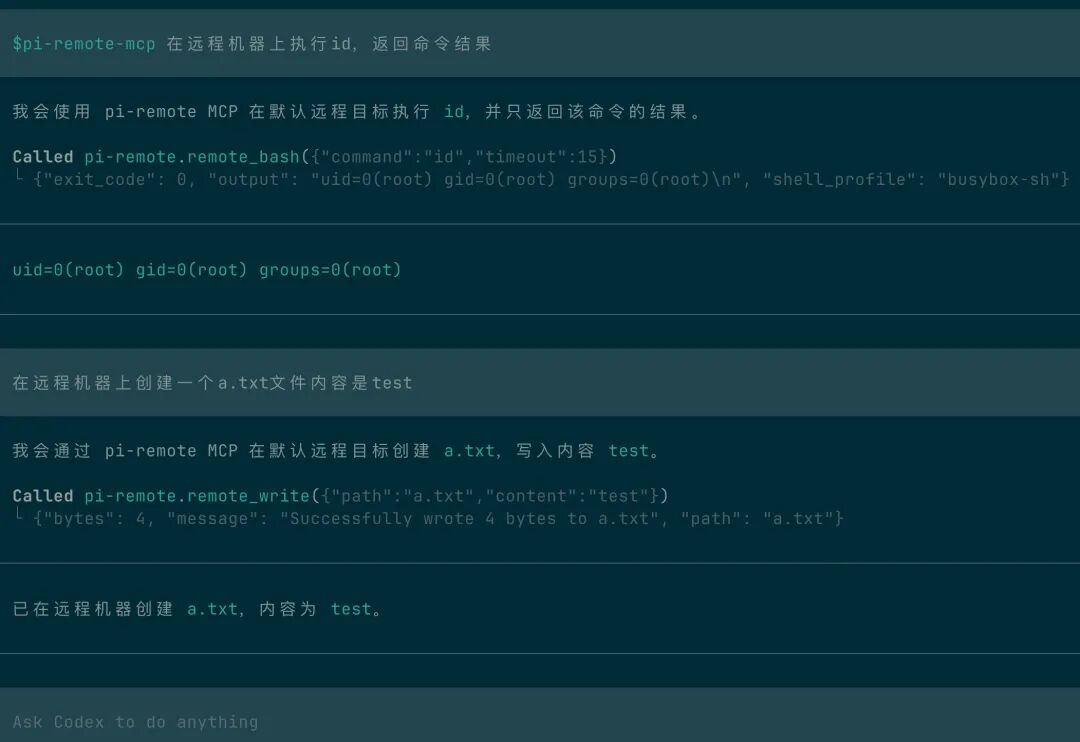
$aremote 在远程机器上执行id,返回命令结果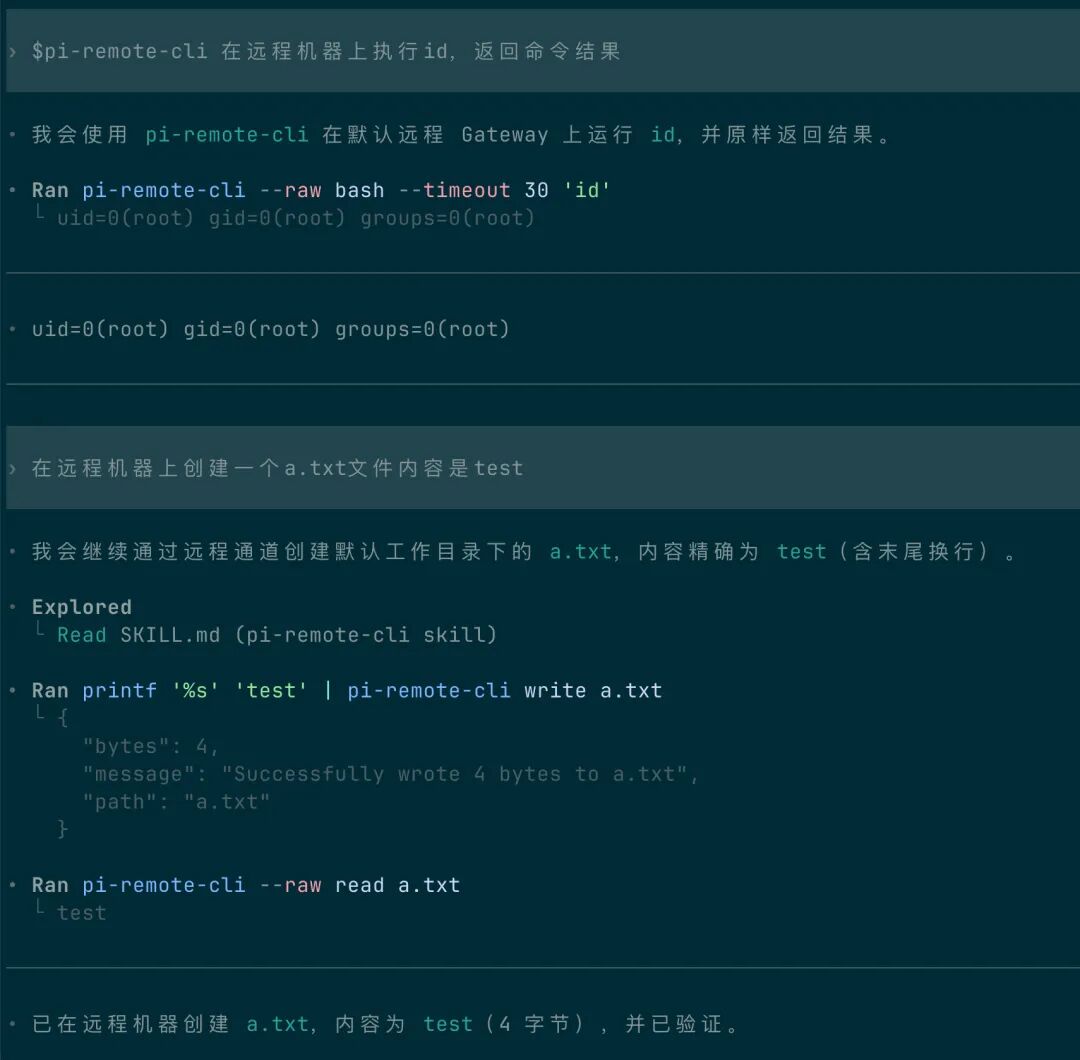
MCP
codex 加入mcp设置
[mcp_servers.agent-remote]command = "/opt/homebrew/bin/aremote"args = ["mcp"]enabled = true
MCP 同样可以访问任意已保存目标。先调用 remote_targets 获取目标 ID,再在 remote_read、remote_bash 等工具中传入 target。调用 remote_workers 并传入 target 可查看其 Gateway 和 Workers;需要选择该目标下的非默认 Worker 时传入 worker。
Windows Shell 行为
构建 Windows 程序前,将运行时文件放在:
internal/runtimebundle/assets/└── windows_amd64/└── bin/busybox.exe
Windows 构建目前只支持 amd64。windows_amd64 下除了 _placeholder 以外的文件都会嵌入 aremote.exe。
嵌入的 BusyBox 运行时可用时,Worker 会直接启动 busybox.exe sh -s。ls、id、whoami、grep 和 find 等命令由 BusyBox 处理,不会生成 applet 链接文件。使用的是 BusyBox 的 ash 语法,而不是 Bash 语法,也不会静默切换到 CMD 或 PowerShell。
如果可用,超时和取消会终止 Windows Job Object,同时停止子进程。如果进程无法加入 Job Object,Worker 会退回到直接终止 Bash 进程。
本文转载自微信公众号「漏洞推送」,查看原文。版权归原作者所有,如有侵权请联系删除。